AI automation is the use of artificial intelligence — particularly large language models (LLMs) and autonomous AI agents — to handle tasks that once required human judgment, such as reading emails, qualifying leads, or processing documents. Unlike traditional automation, which only follows fixed “if this, then that” rules, AI automation can reason, adapt to new situations, and take action across tools like CRMs, calendars, and databases. In 2026, the leading platforms for building these systems are n8n, Make, Zapier, LangGraph, and CrewAI.
Table of Contents
- What Is AI Automation?
- How AI Automation Works (Architecture Breakdown)
- Traditional Automation vs. AI Automation
- What Are AI Agents? (The Biggest 2026 Trend)
- Best AI Automation Tools in 2026
- Step-by-Step: Building Your First AI Workflow
- Top AI Automation Use Cases by Department
- How to Start an AI Automation Agency
- 15 AI Automation Ideas for Small Businesses
- The Future of AI Automation (2027 and Beyond)
- FAQ
1. What Is AI Automation?
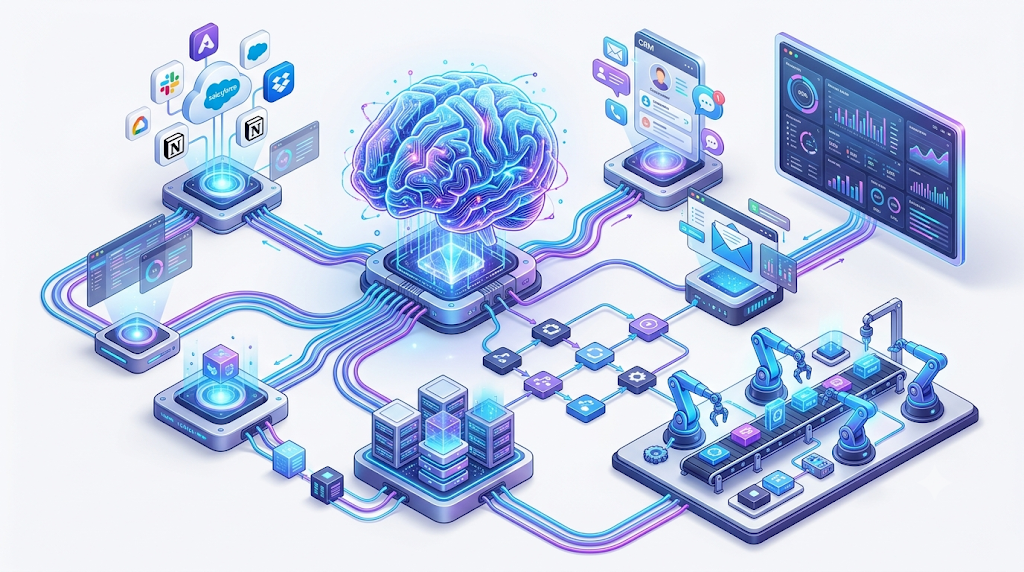
AI automation sits at the intersection of five technologies:
- Workflow automation — the connective tissue that moves data between apps
- Artificial intelligence — the reasoning layer
- Large Language Models (LLMs) — the “brain” that understands language and context
- AI agents — autonomous systems that plan and act on goals
- APIs and business systems — the tools an agent can actually operate
What makes 2026-era automation different from the automation of the past decade is its ability to work with unstructured information — emails, PDFs, customer chat logs, voice recordings, and images — and turn that raw input into a structured, useful action.
A simple example of the shift:
Old way: Customer email → manual read → manual reply
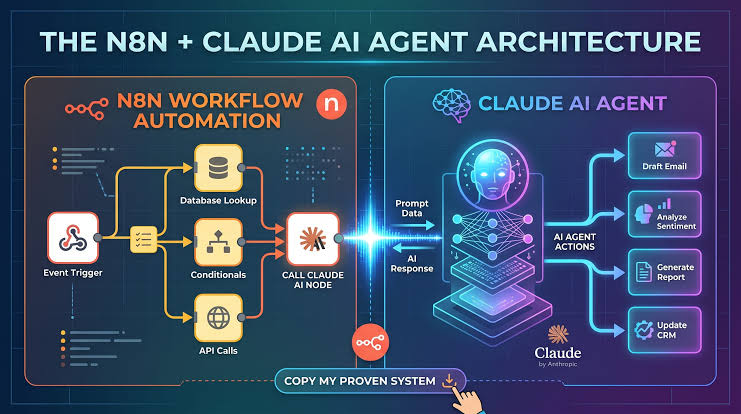
New way: Customer Email → AI Agent → Understands the Problem → Drafts a Response → Updates the CRM automatically
Traditional automation could only follow rigid logic. AI automation adds a reasoning layer, so the system can handle exceptions, ambiguity, and edge cases without a human stepping in every time.
2. How AI Automation Works (Architecture Breakdown)
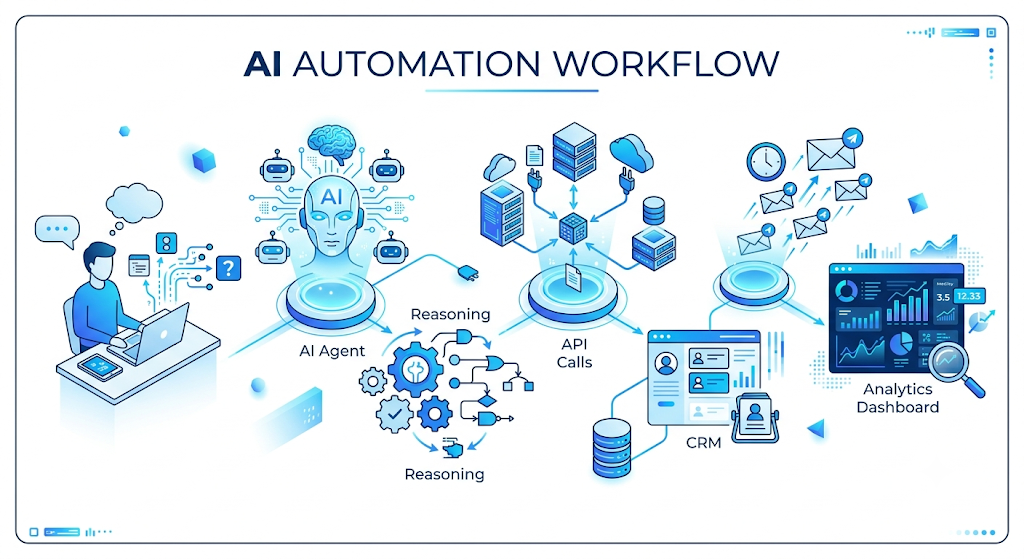
Most AI-powered workflows follow a similar five-stage pipeline:
| Stage | What Happens |
|---|---|
| 1. Data Collection | An email, form submission, chat message, or webhook triggers the workflow |
| 2. AI Agent / LLM | The model reads the input and determines intent |
| 3. Decision Making | The agent reasons about what to do next, using logic and available tools |
| 4. Automation Layer | A platform like n8n, Make, or Zapier executes the technical steps |
| 5. Business Action | The final result: a reply is sent, a CRM record updates, or a team is notified |
The key difference from older automation is step 3. Instead of a developer hard-coding every branch of logic, the AI agent acts as the decision-maker — calling tools like calendars, databases, or third-party APIs only when it determines they’re needed. This makes the workflow adaptive rather than linear.
3. Traditional Automation vs. AI Automation
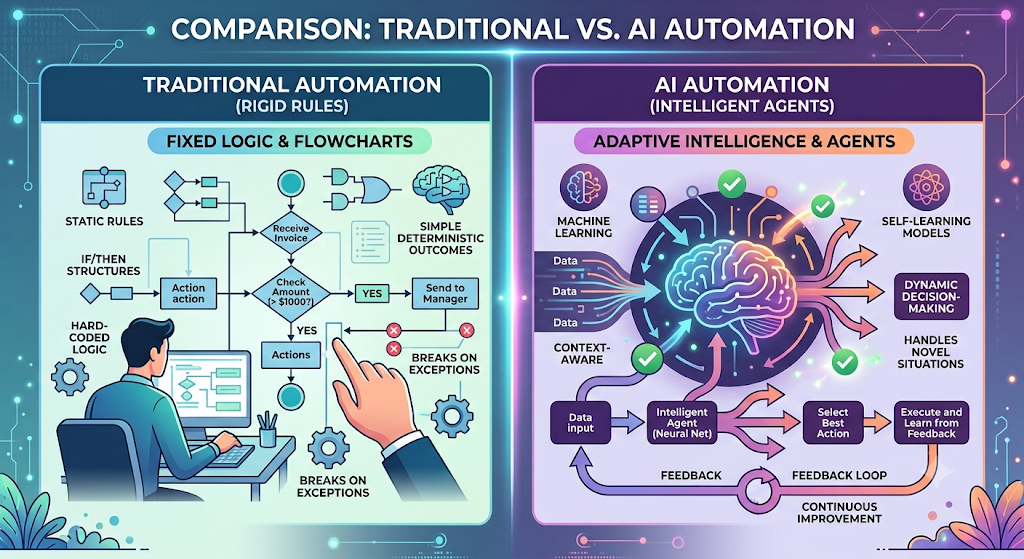
| Traditional Automation | AI Automation |
|---|---|
| Rule-based (if X, then Y) | Reasoning-based (understands intent) |
| Fixed workflow — breaks on exceptions | Adaptive workflow — handles variation |
| Works only with structured data (spreadsheets, forms) | Works with unstructured data (text, images, voice) |
| Humans must resolve exceptions manually | AI resolves many exceptions autonomously |
| Best for simple, repetitive tasks | Capable of complex, multi-step decisions |
Key takeaway: AI automation doesn’t just execute steps — it thinks through them.
4. What Are AI Agents? (The Biggest 2026 Trend)
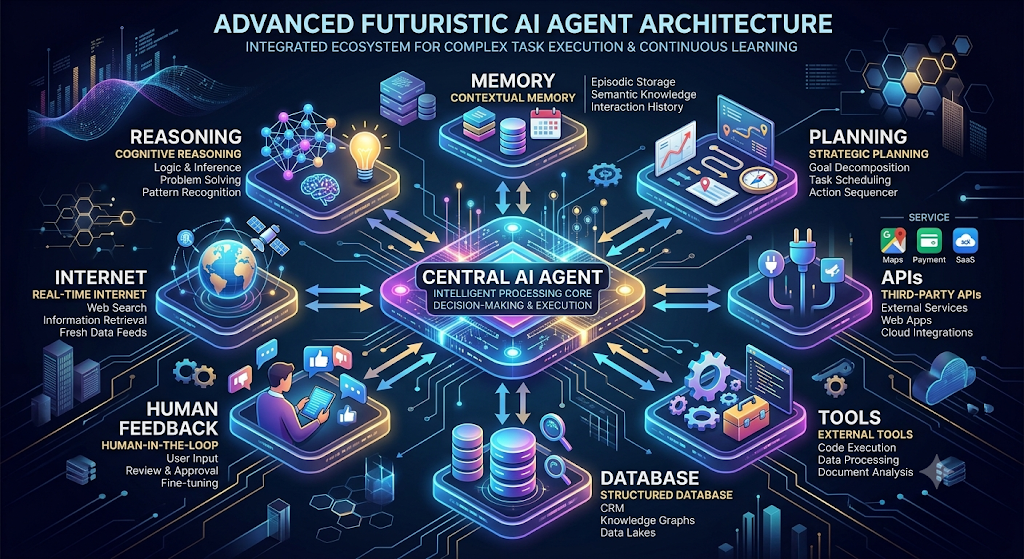
An AI agent is a software system capable of:
- Observing its environment (reading data, monitoring triggers)
- Reasoning about a goal
- Using tools such as APIs and databases
- Taking action based on its conclusions
- Learning from feedback to improve future decisions
The defining shift in 2026 is a move away from single-purpose chatbots toward agentic systems — autonomous agents that plan multi-step tasks, call multiple tools, and sometimes collaborate with other agents.
Popular AI Agents Businesses Are Building Right Now
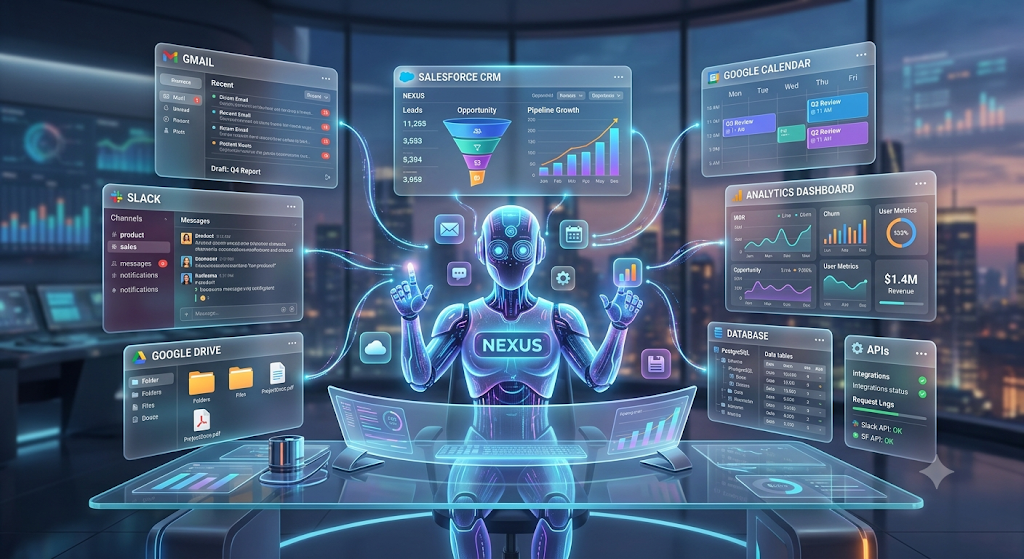
- AI Sales Agent — qualifies inbound leads and sends personalized follow-ups
- AI Research Agent — scans the web and summarizes findings on demand
- AI Customer Support Agent — answers tickets and recommends solutions
- AI Marketing Agent — drafts social content and reports on campaign performance
These agents are commonly built using frameworks such as LangGraph, CrewAI, or n8n’s AI-agent nodes.
5. Best AI Automation Tools in 2026
Beginner-Friendly Tools
Zapier AI
- Best for: marketing teams and small businesses
- No-code, thousands of integrations, now with built-in AI steps
Make.com
- Best for: visual, drag-and-drop automation
- Strong at complex data transformation between apps
Developer & Agency-Grade Tools
n8n
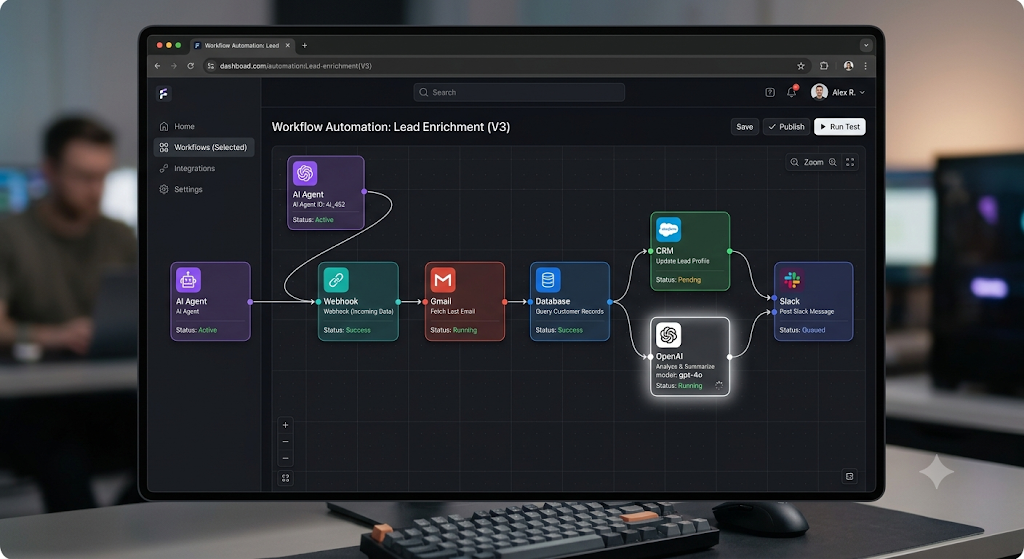
- Best for: AI automation agencies and developers
- Self-hosted, fair-code licensed, supports custom code, and includes powerful AI-agent nodes with LangChain integration
LangGraph
- Best for: advanced, stateful AI agents
- Supports memory and human-in-the-loop checkpoints
CrewAI
- Best for: multi-agent systems
- Enables role-based agents that collaborate on shared tasks
Quick Comparison Table
| Tool | Best For | Difficulty | Open Source | Pricing Model |
|---|---|---|---|---|
| Zapier | Simple automations | Easy | No | Subscription |
| Make | Visual workflows | Medium | No | Subscription |
| n8n | AI agents, agency work | Advanced | Fair-code | Self-hosted free / cloud paid |
| LangGraph | Complex custom agents | Advanced | Yes | Free (Python) |
| CrewAI | Multi-agent orchestration | Advanced | Yes | Free (Python) |
Pro tip: Many automation agencies standardize on n8n as their backbone because it’s open, cost-effective, and highly extensible for client work.
6. Step-by-Step: Building Your First AI Workflow
Here’s a practical, real-world example: an AI Lead Generation Agent built in n8n.
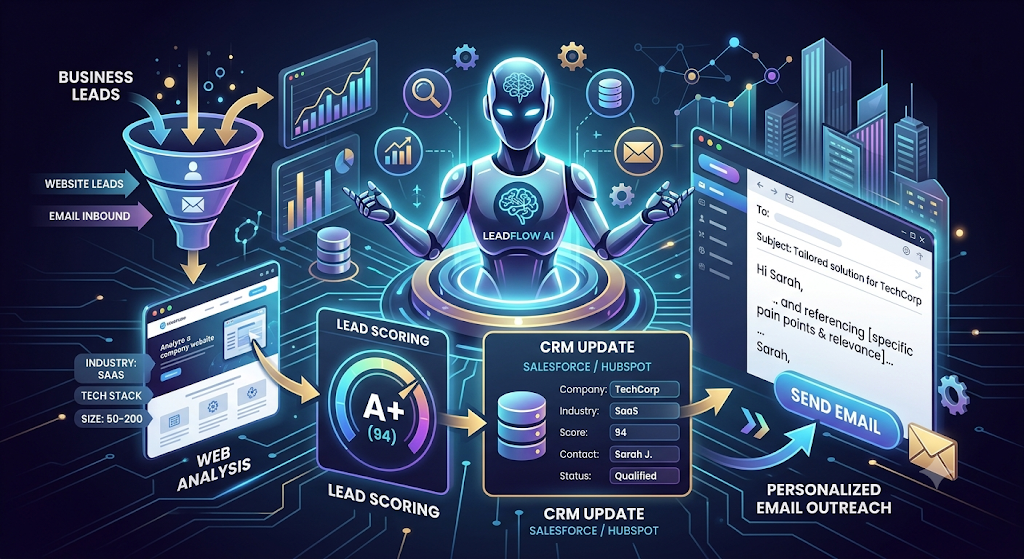
Goal: Automatically qualify website leads, enrich their data, and send a personalized first-touch email.
Workflow Steps
- Trigger — A new website form submission comes in (via webhook, Typeform, or Google Forms)
- AI Agent Node — Reads the lead data and extracts the name, company, and message
- Tool Use: Company Research — The agent calls an enrichment API (like Clearbit or Apollo) to pull company size and industry
- Lead Scoring — The agent scores the lead against defined criteria (e.g., company size over 50 employees, SaaS industry)
- Email Generation — A hyper-personalized email is drafted using the enriched data
- CRM Update — The lead, score, and email timestamp are logged into HubSpot or Airtable
- Notification — A Slack alert is sent to the sales team if the lead scores as “hot”
Result: Fully hands-free lead qualification and outreach — saving hours of manual work every day. This is the core value proposition behind combining automation platforms with reasoning AI agents.
7. Top AI Automation Use Cases by Department
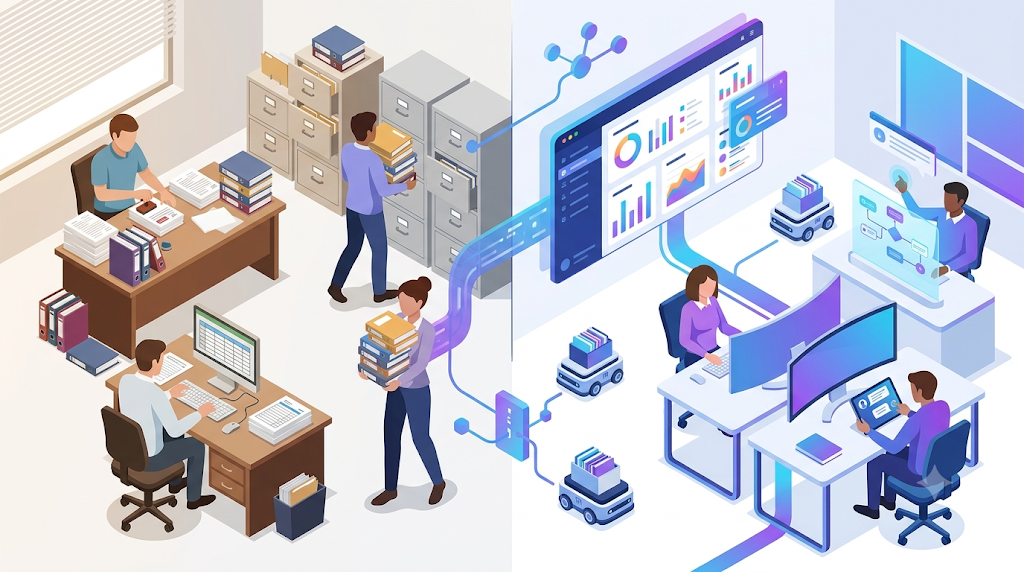
Business Operations
- AI customer support automation (auto-replies, ticket routing, deflection)
- AI sales assistants (lead research, sequence writing)
- AI email management (categorization, drafting, follow-ups)
- AI recruitment automation (resume screening, candidate outreach)
- AI document processing (invoice parsing, contract analysis)
Marketing
- AI content research agents (trend analysis, competitor monitoring)
- AI SEO automation (keyword clustering, internal linking suggestions)
- AI social media agents (content generation, scheduling, engagement)
- AI ad optimization (budget pacing, creative performance alerts)
Development
- AI coding agents (code review, bug fixing, boilerplate generation)
- Automated testing agents (test case generation, self-healing scripts)
- Documentation agents (auto-generating docs from code, changelog creation)
8. How to Start an AI Automation Agency in 2026
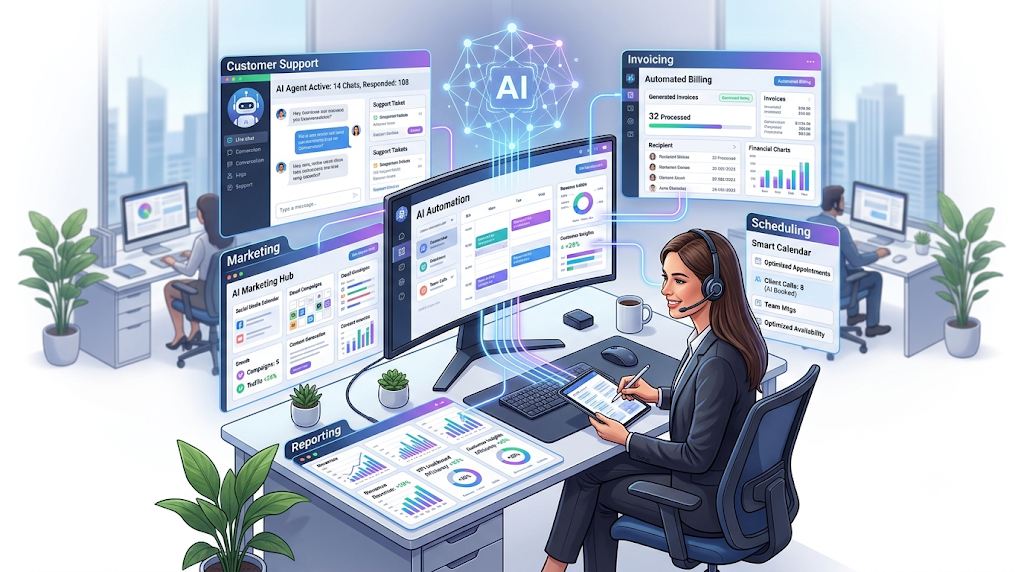
Step 1: Learn the Core Stack
- n8n (self-hosted, powerful AI nodes)
- REST APIs, webhooks, and authentication basics
- The OpenAI API (function calling, assistants)
- Foundational prompt engineering
Step 2: Build a 3-Agent Portfolio
- AI Receptionist — handles phone and email inquiries, books appointments
- AI Lead Qualifier — scores and enriches leads, sends summaries to sales
- AI Email Responder — answers repetitive support questions from a knowledge base
Record short demo videos of each agent in action to use as sales collateral.
Step 3: Find Clients
Target industries with high volumes of repetitive manual work:
- Real estate (lead follow-up)
- Dental and medical clinics (appointment reminders)
- E-commerce (order issue resolution)
- Marketing agencies (report generation)
A simple outreach angle that works well: “I noticed you handle [task] manually. I built an AI workflow that does it in seconds — can I show you?”
Step 4: Pricing Models
| Model | Typical Range |
|---|---|
| Simple project | $500 – $1,500 |
| Complex multi-agent system | $2,000 – $5,000 |
| Monthly retainer (maintenance + improvements) | $1,000 – $5,000/month |
Agencies can charge a premium because the ROI for clients is often 10x the cost of the automation itself.
9. 15 AI Automation Ideas for Small Businesses
- AI email auto-responder with sentiment analysis
- Invoice data extraction into accounting software
- AI social media caption generator and scheduler
- Automated Google review response agent
- AI lead enrichment from LinkedIn synced to a CRM
- Slack bot for daily sales pipeline summaries
- AI meeting note-taker and action-item extractor
- Automated customer onboarding email sequence
- AI content repurposer (turns blog posts into social posts)
- Voice call transcription and summary agent
- AI competitor price monitoring with alerts
- Automated NPS survey analysis with follow-ups
- AI resume screener for recruitment
- E-commerce return label generator with built-in FAQ
- AI personal assistant for calendar and email triage
10. The Future of AI Automation (2027 and Beyond)
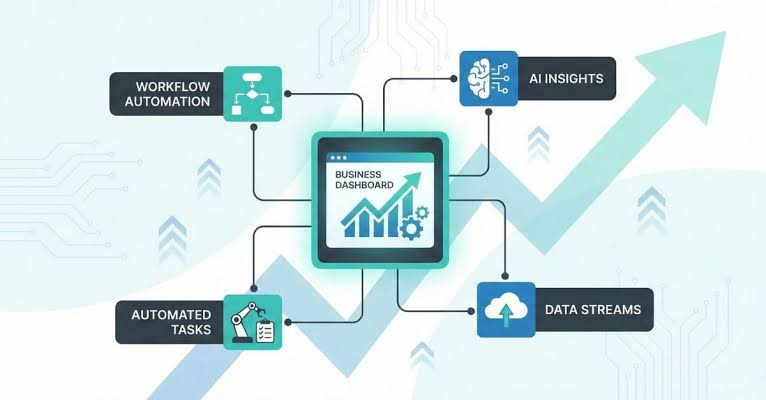
Looking ahead, expect to see:
- Autonomous AI employees — agents working around the clock, fully integrated into daily operations
- Multi-agent companies — entire departments (marketing, sales, operations) run by collaborating agents
- Self-improving workflows — systems that analyze their own performance logs and optimize themselves
- AI-powered solo businesses — individual entrepreneurs managing seven-figure businesses with a small team of AI agents
The infrastructure for this future is already being built with tools like n8n and LangGraph, powered by increasingly capable underlying models.
AI Automation Tools Comparison 2026 — At a Glance
| Tool | Best For | Pricing Model | Open Source | AI Agent Capabilities |
|---|---|---|---|---|
| Zapier | Simple tasks | Subscription | No | Limited |
| Make | Mid-complexity workflows | Subscription | No | Good (custom AI calls) |
| n8n | AI agents, agencies | Self-hosted free / cloud paid | Fair-code | Advanced (LangChain, tools) |
| LangGraph | Developer frameworks | Free (Python) | Yes | Stateful agents, memory |
| CrewAI | Multi-agent systems | Free (Python) | Yes | Role-based, collaborative agents |
FAQ:
What is AI automation?
AI automation uses artificial intelligence to handle tasks that normally require human thinking and decision-making. It combines LLMs, AI agents, and workflow tools to process unstructured data and manage complex processes.
Q: What’s the difference between automation and AI automation?
A: Traditional automation follows fixed rules. AI automation can understand data, reason about it, and adapt — handling exceptions and making decisions the way a person would, only faster.
Q: Is AI automation a good career path in 2026?
A: Yes. Businesses are investing heavily in AI agents and workflow specialists, and demand for automation engineers and agency founders remains high.
Q: Which AI automation tool is best?
A: n8n is a strong choice for developers and agencies thanks to its flexibility, self-hosting option, and advanced AI integrations. Zapier and Make are better starting points for beginners building simple flows
Q: How much can an AI automation agency earn?
A: Agencies typically charge $500–$5,000 per project, with many building recurring retainer revenue of $3,000–$10,000+ per month from ongoing optimization work.
Q: Do I need coding skills for AI automation?
A: Not necessarily. No-code tools like Zapier and Make make it accessible to beginners. That said, JavaScript or Python knowledge gives a significant advantage when building advanced agents or custom API integrations.